Your data on-chain
This page states plainly what Stasho stores about you, what's encrypted, what's public, and how to check our claims without trusting us.
Prerequisite: none, but Connect & sign in explains the keys involved.
The model in one paragraph
Everything lives as messages on a public network, written under your wallet address. Sensitive fields are encrypted in your browser before they're written; public fields are plaintext for anyone to read. There is no private database with your project data in it — the backend keeps only a cache of the public fields, and holds no standing key to the encrypted ones.


What's encrypted, what's public
Projects:
| Encrypted | Public |
|---|---|
| Project name | Framework |
| Repo URL and branch | Deploy target |
| Build command, output directory | Created / updated timestamps |
| Environment variables | Deleted flag |
| GitHub installation ID |
Deployments:
| Encrypted | Public |
|---|---|
| Commit hash and message | Status (queued, live, failed…) |
| Branch | Artifact CID |
| GitHub Actions run URL | Gateway URL |
| Build error output | Timestamps |
Note what this means: an observer of the network can see that your wallet deploys something and when, but not what it's called, which repo it comes from, or what broke when a build failed. Source details are always encrypted — even for public repos — so your wallet address can't be bulk-linked to your GitHub identity by indexing the network.
Who can decrypt
Each encrypted field is sealed to two recipients, both yours:
- Your wallet key — the recovery path. With your private key you can decrypt everything, forever, with no help from us (see Recover your data).
- Your browser's derived encryption key — the everyday path, derived from the one-time Unlock signature.
The backend is not a recipient. It cannot read your project names, repos, commit messages, or error logs — in the dashboard those fields are decrypted by your browser, not sent down from our servers.
Where our backend runs
Stasho's backend (the service that writes deployment progress with the Stasho delegate key) runs on confidential servers (AMD SEV-SNP). Each server's memory and disks are encrypted with keys the hosting provider never holds, and a server only receives them after a hardware attestation proves it booted the exact image we expect.
- The server image is reproducible: two independent builders must produce the same bytes before it's sealed.
- Two servers run at all times, with two different hosting providers. One serves; the other keeps a copy of its state about a minute behind and takes over if the first fails.
- A hosting provider can still stop a server, or restore an older copy of its encrypted disk. Neither lets it read what's on it.
None of this changes what the backend sees of your data: it was never a recipient of your encrypted fields (above).
What happens when you delete a project
- The project is marked deleted on-chain (the record is tombstoned, history stays auditable)
- The backend issues FORGET messages for the project's pinned artifacts — the storage nodes drop the content within a day or two
One honest caveat: IPFS is a public network. While your site was live, third-party gateways and nodes outside the storage network's control may have copied the bytes, and a FORGET doesn't reach them. Treat anything you deploy as public the moment it goes live — deletion removes it from the storage network, not from the internet's memory. Your encrypted metadata doesn't have this problem; without your keys it's noise.
Check our claims
You don't have to take any of this on trust:
- Settings → Data & Privacy in the app shows the full encrypted-vs-public field list, your on-chain message footprint, and any inconsistencies between our cache and the chain.
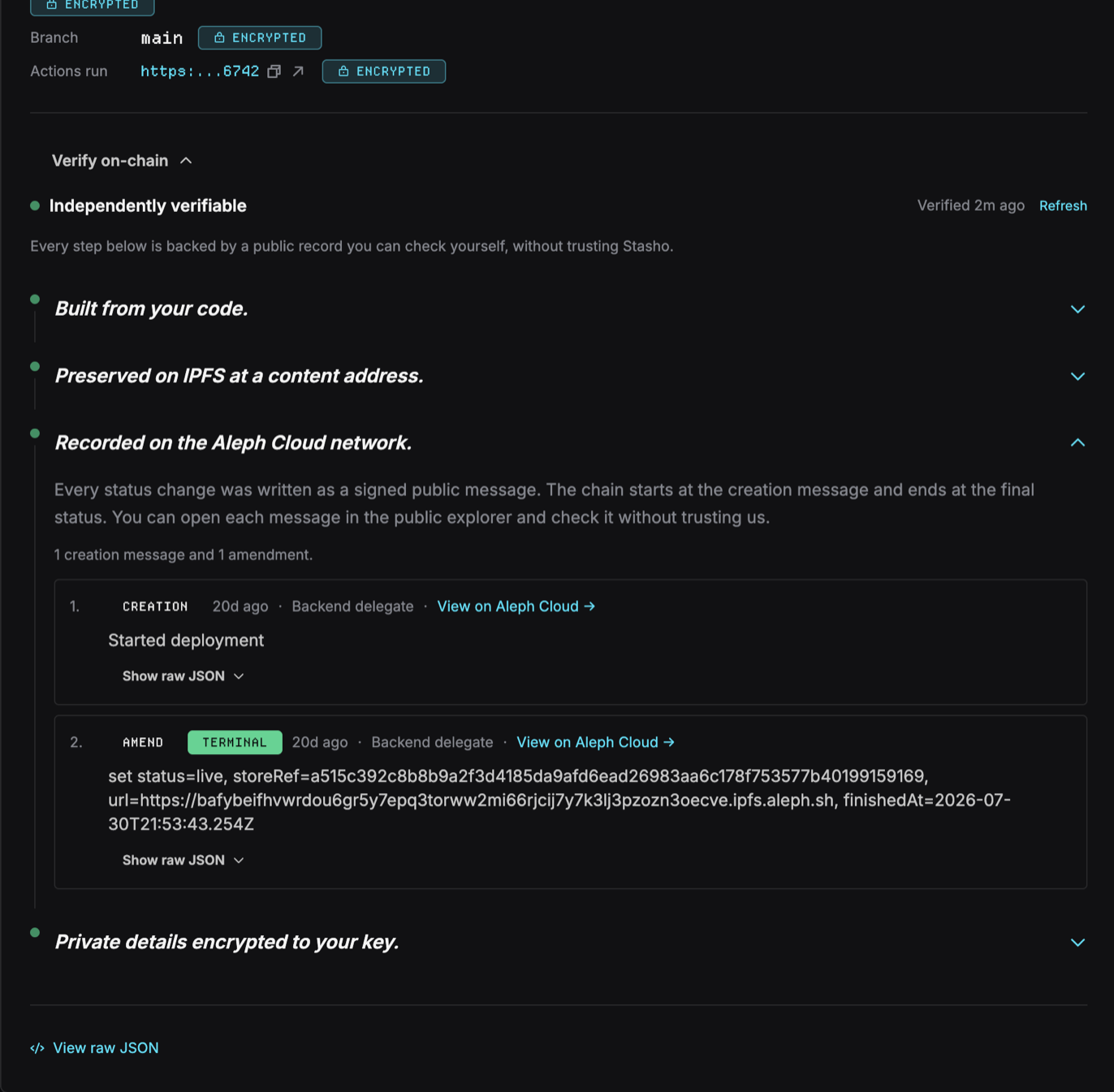
- Verify on-chain, on any deployment's detail page, walks the actual signed messages behind it — who signed each one (you, your browser's session key, or our delegate), with explorer links.
- The public audit endpoint —
https://api.stasho.xyz/api/audit/<your-address>— returns, unauthenticated, every key authorized to write under your wallet and whether our cache matches the chain. Anyone can build a watchdog on it.
- The recovery script reconstructs everything from the public network directly — the ground truth if you ever doubt the dashboard.
- The GitHub App's permissions are the one trust boundary here that isn't on-chain. What the App can do lists each permission we request, what we use it for, and what it leaves us unable to reach — checkable against GitHub's own listing.
Related
- Your App VM: the same public-vs-encrypted model, applied to a server app running on your own server
- Keys & authorizations — the keys that can write under your wallet, and how to revoke them
- Storage schema — the exact wire format, for tool-builders